 2:35
Medical chronology
Every medical event on its date, in order, tied to the page it came from. Filter it, search it and export it as PDF or Word.
The Timeline tab in Medrecords AI shows every dated event from the records in order, with the source page beside it. You can scroll the whole case or step through it 1 date at a time. Each entry tells you what happened, who was involved, and which page it came from. Reading and filtering the timeline costs no credits.
Start here
Work with the records
Write and share
Account and trust
Case type playbooks
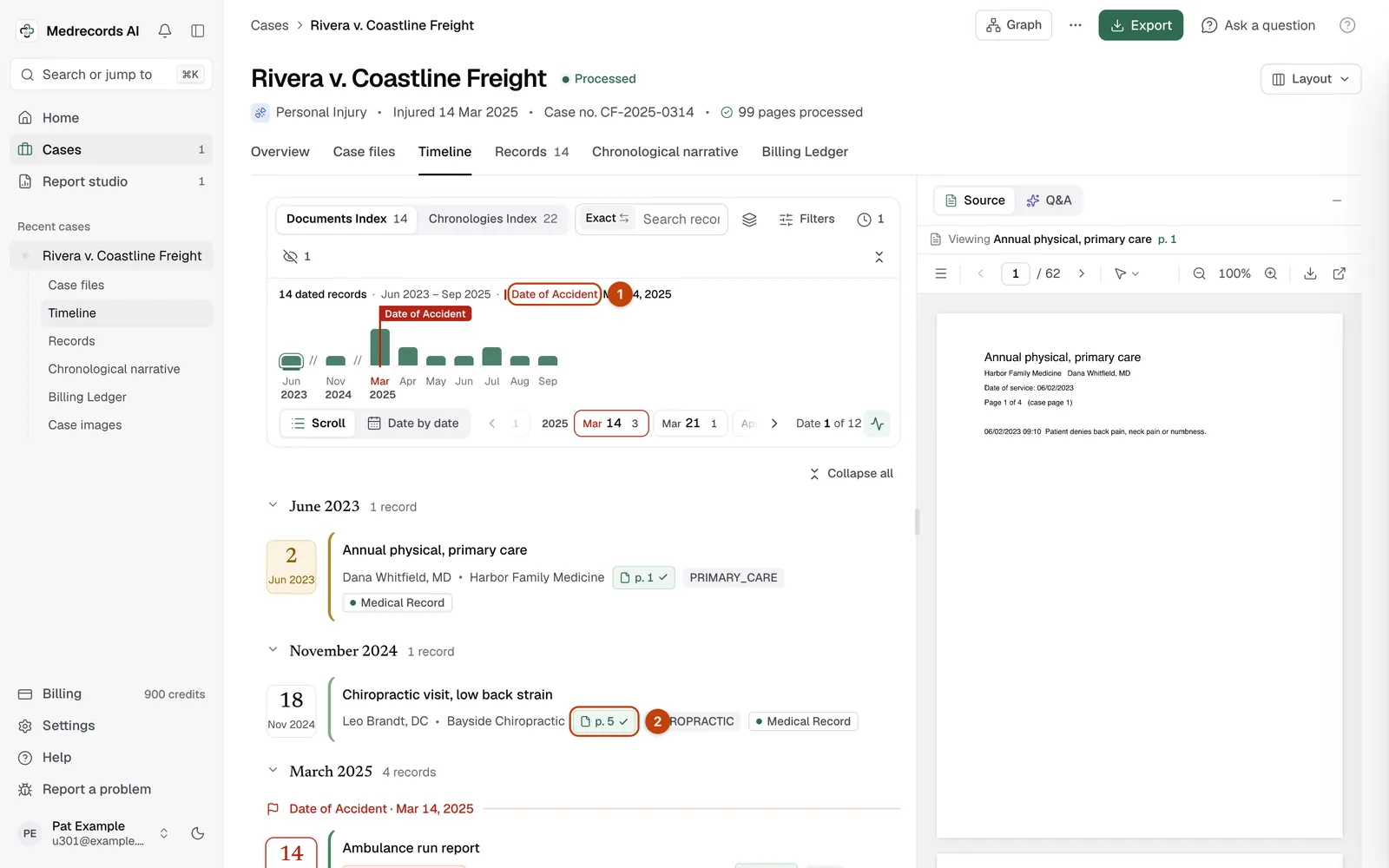
Open the case and press Timeline. It opens once the case has finished processing. At the top, switch between the Documents Index, 1 row per record, and the Chronologies Index, 1 row per dated event.
Each row shows the date, a short title, the facility, the providers and a relevance tag. Click a row to see more.
| Part | What it tells you |
|---|---|
| Key date tag | This entry falls on the case's key date |
| Relevance | How much the entry matters to the case. Hover to see why |
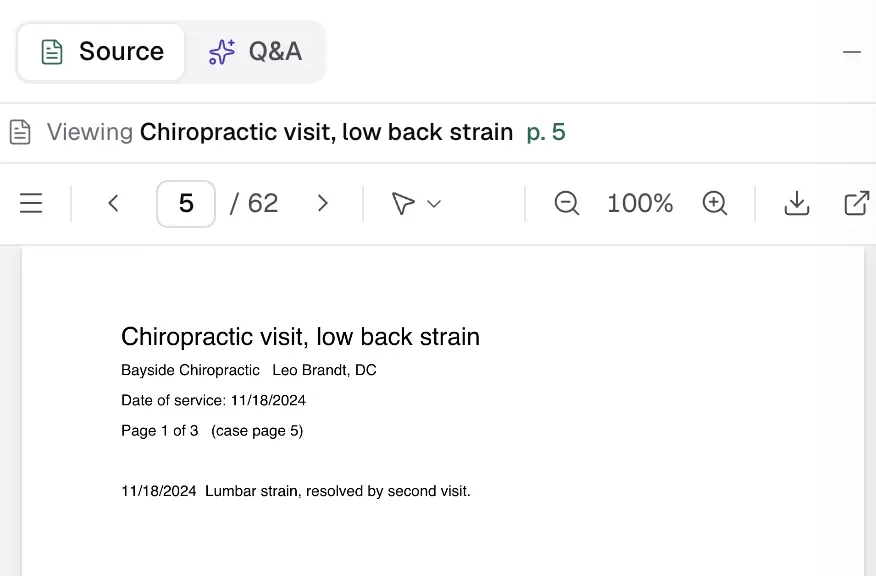
| p. N | The page in the chronology PDF, not in your uploaded file. Click it to jump there |
| What the record says | The event in plain words |
| Verbatim | The exact quote from the record |
| Source file | The name of the file you uploaded |
Pick Date by date instead of Scroll. Then press Next date or Previous date, or use the arrow keys. The month strip at the top shows how many events fall in each month, with a pin on the month of the key date.
The Undated Documents button shows records with no date. Press View source to open one.
Press Exclude on an entry to take it out of the chronology and every export. Nothing is deleted. Show excluded shows them struck through.
Short guides recorded on a demo case. They play inside the app: sign in and the video opens at the chapter you pick.
2:35Every medical event on its date, in order, tied to the page it came from. Filter it, search it and export it as PDF or Word.
Facts checked against the Medrecords AI app code on 2026-10-25.