 2:35
Medical chronology
Every medical event on its date, in order, tied to the page it came from. Filter it, search it and export it as PDF or Word.
Every fact in Medrecords AI points back to a page in your records. Click a record or event and the source page opens beside it, with the quoted text highlighted. You can read and copy the text the app took from each page. Check key facts this way before you rely on them.
Start here
Work with the records
Write and share
Account and trust
Case type playbooks
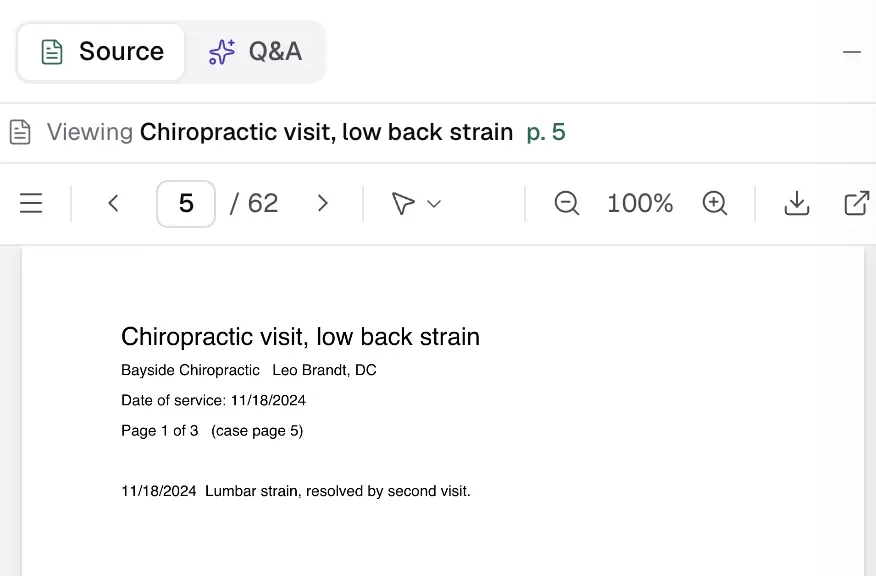
On the Records tab, click a record row. Its pages load in the Source pane. Click an event row instead to open the record at that event's page, with the quote highlighted. If you see "Couldn't locate the quoted text on this page", read the page yourself.
Citations in Q&A, reports and the narrative work the same way.
Hover over a page in the PDF viewer and press Page text. A window shows the text the app read from that page. Press Copy all to copy it. Compare it with the image of the page. Handwriting and poor scans are where mistakes are most likely.
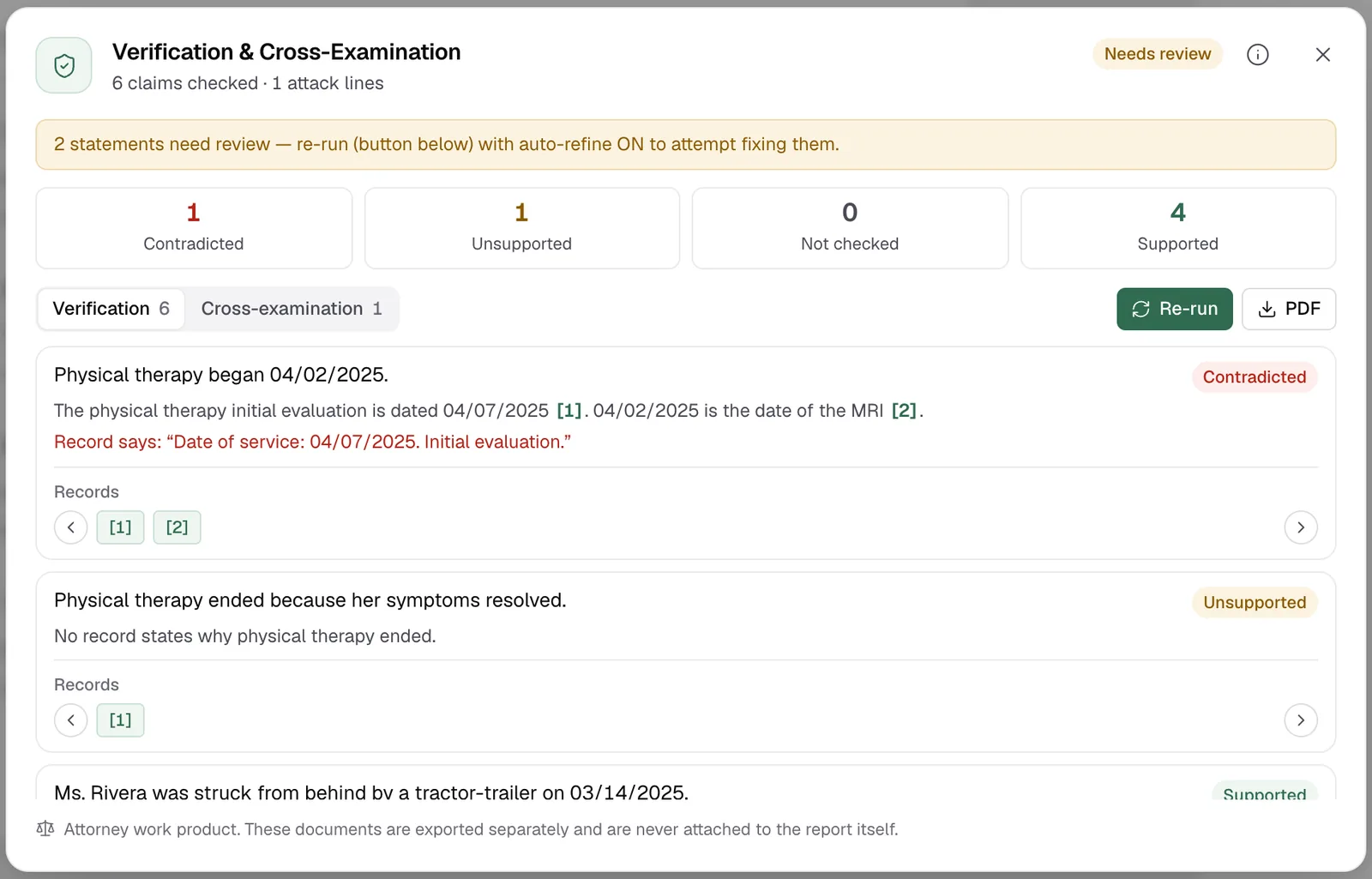
When you check a report, each claim is marked Supported, Unsupported or Contradicted. For a contradicted claim, "Record says" quotes the page that disagrees. In this sample, the report says therapy began on 04/02/2025, but the therapy record is dated 04/07/2025. See create a report.
You can edit record details only while the case shows "Needs confirming". After you confirm, they lock.
| You can edit | You cannot edit |
|---|---|
| Title and date | Verbatim abstract |
| Summary points | Treatments |
| Providers and facilities | Diagnostic codes |
| Provider roles | Body parts |
Short guides recorded on a demo case. They play inside the app: sign in and the video opens at the chapter you pick.
2:35Every medical event on its date, in order, tied to the page it came from. Filter it, search it and export it as PDF or Word.
 2:14
Draft a report from the records, check every page cite against them, edit it and sign it.
Facts checked against the Medrecords AI app code on 2026-10-25.